
What is Usability Testing?
So, you’ve developed your prototype, whether it be high or low-fidelity. Now what? Well, you’ve brought your product to life and now it’s time to put it to the test, the usability test. Usability testing is the practice of observing potential users interacting with your product. The article “Usability Testing” defines it as, “… the process of testing how easy a design is to use with a group of representative users. It usually involves observing users as they attempt to complete tasks and can be done for different types of designs. It is often conducted repeatedly from early development until a product’s release.” The goal of usability testing is to identify anything that may be missing from your product, pain points, successes, and general user feedback.
Paper Prototypes in Usability Testing
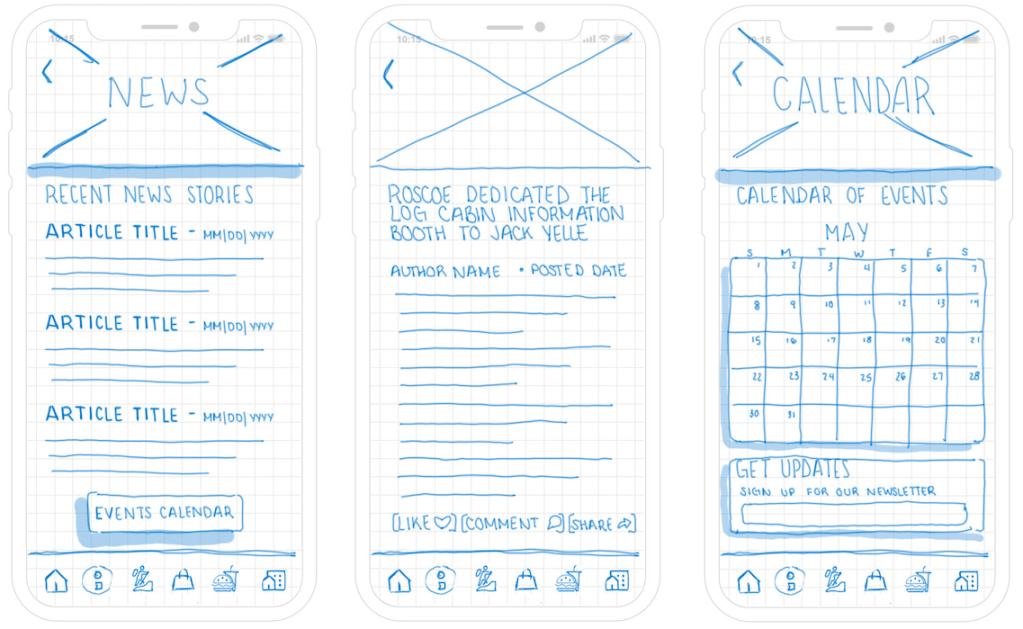
In last week’s blog post, “Bringing Your Ideas to Life: Prototyping” I discussed the different types of prototypes that can be used in user experience design. I specifically focused on paper prototypes as a form of a low-fidelity prototype. But, did you know that you can use these basic sketches of your product to conduct usability testing? It’s true! Author, Justin Mifsud explains, “Paper prototypes are used… as a usability testing technique: to observe the human interaction with user interfaces even before these interfaces are designed and developed.” Though it may not seem so, it can be beneficial to your usability testing to only provide the basic outline and functions of your product without fully developed interfaces.
Benefits of Paper Prototypes
When users are interacting with your sketches, they will not get distracted by colors, typefaces, or other design elements and will focus on the functionality of your product. Author Ana Crespo explains, “The unfinished look of a paper prototype is an advantage: it’s obvious that it is not an actual website, so the feedback will tend to be more about the concept rather than the superfluous elements.” Furthermore, if there are any issues with your product or changes that need to be made, they can be done quickly and easily without losing out on time and effort. “Paper prototypes can be quickly modified in between sessions if it becomes evident something doesn’t work. They can even be iterated on with the participant. This could lead to obtaining more accurate insights from users” (Crespo).
Where to Begin
“Generally speaking, the different screens are sketched prior to the testing. Typical use cases are then created and the users are requested to try and perform them by interacting with the prototype” (Mifsud). Assuming you have already developed your paper prototype screens, and possibly use cases and user flows as well (if not check out some of my previous blog posts for some insight) the next step would be to develop a script for what you will say, and plan how the usability test will go.
The script should typically:
- Introduce yourself and/or your team
- Outline what a usability test is
- Provide a brief description of your product
- Ask basic qualifying questions
- Answer any questions your participant may have
- Provide a course of action for your test
- Gain consent to record the session
Recording the Session
Recording your session is extremely important, it enables you and your team to look back over the specific user interactions and identify any areas in need of improvement, as well as pinpoint any pain points. Mifsud explains, “It is very important that these sessions are well documented using a video camera in order to be able to assess user reactions after the test.” However, be sure that you gain the consent of your participants prior to recording them.
Usability Test IRL
Over the past few weeks (as previously mentioned) I have been working to develop a companion app for the Roscoe, NY website. I have worked through all of the stages of laying the groundwork such as conducting ideation sessions, building information architectures, developing user stories and user flows, and sketching a paper prototype of the product concept. This week, I prototyped my previously sketched designs and recruited two participants to help me test the usability of the site. You can interact with the current prototype here.
Here is the link for Participant One’s usability test recording.
Here is the link for Participant Two’s usability test recording.
As you can see, each of the participants was guided through the completion of three specific tasks within the app. They were asked to speak out loud and talk about whatever they were thinking or doing. This information is helpful because if a user experiences a section of the app that does not communicate clearly, they are able to voice their struggles and the designers and developers (in this case, me) can make adjustments accordingly.
You can read through the findings of this usability test in the linked document at the bottom of this blog!
Next Steps
It is likely that your usability testing sessions have highlighted a few areas in need of improvement for your product. Take the time to consider and break down your feedback and insights gained from the sessions and make the changes accordingly. After you have done so, try to test again. Rome wasn’t built in a day, and neither was the perfect product. Test, test and test until you have improved the product to the best possible version!
 CRyder Design
Leave a comment