
An Introduction to Google Trends
Your best friend just invited you to join her for dinner at the new restaurant that just opened in town. You’re not too familiar with it yet, so you decide to look it up online. Google here you come!
Today, it’s common practice for a business to have a website to provide potential customers with information quickly and easily. We, as customers, have the power of seemingly endless information at our fingertips through something as fast as a web search. But did you know that there’s a tool that condenses all of those statistics related to web searches so they can be analyzed? Well, actually there’s a multitude of tools that can do that. But, today I’m talking about Google Trends in particular!
A TechTarget Contributor defines Google Trends as, “… an online search tool that allows the user to see how often specific keywords, subjects, and phrases have been queried over a specific period of time. Google Trends works by analyzing a portion of Google searches to compute how many searches have been done for the terms entered, relative to the total number of searches done on Google over the same time.”
The Scenario
This week, I was given this scenario to put the different features of Google Analytics to the test.
“You are the social media manager of a coffee manufacturing company in the US. Your company is considering getting into the end-user market by opening ten drive-thru coffee shops somewhere in the country in the next 12 months and then another 25 by the following year. Since the first group of shops’ success is crucial for the future of this investment, management wants to limit the location of the first ten shops to a specific area in the country, for logistics reasons. They want to select two or three neighboring states (neighboring each other) and start with the first ten shops from there. However, they want these two-three neighboring states somewhat close to where the company is located. Your job: All department managers’ input is required on this matter. You, as the head of social media, will make research using Google Trends and prepare a report to the top management.”
I decided to focus on the state of Texas, and 2 of its neighboring states, New Mexico and Oklahoma.
The Results
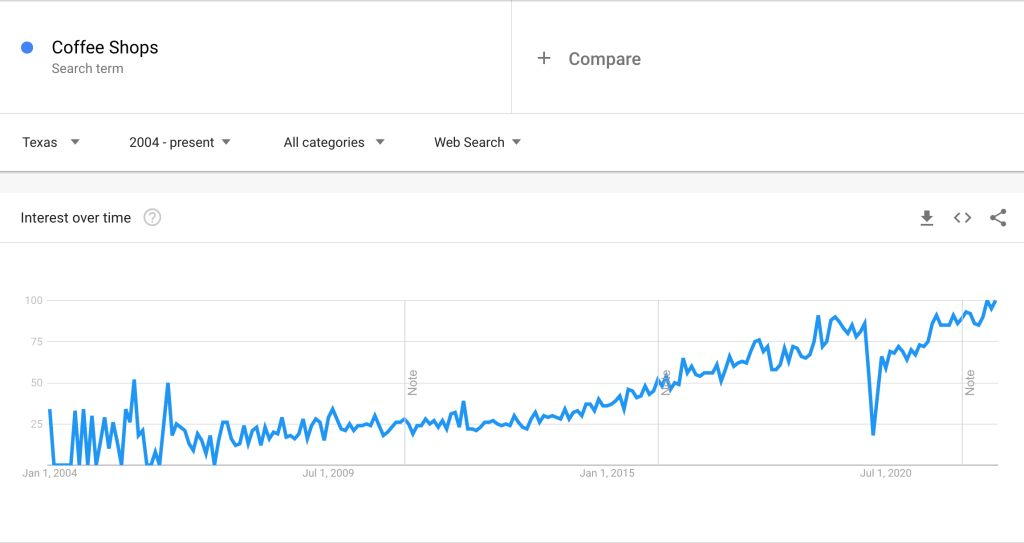
First, I input a general search term for “coffee shops” with the filters set to Texas as the location, and 2004 – present as the timeframe. The results weren’t really surprising, as shown in the graph below. Although there has been a bit of fluctuation in short periods of time, in the long run, there has been a steady increase in web searches for coffee shops over the past decade or so. This is a good sign of increased interest in coffee shops in Texas.
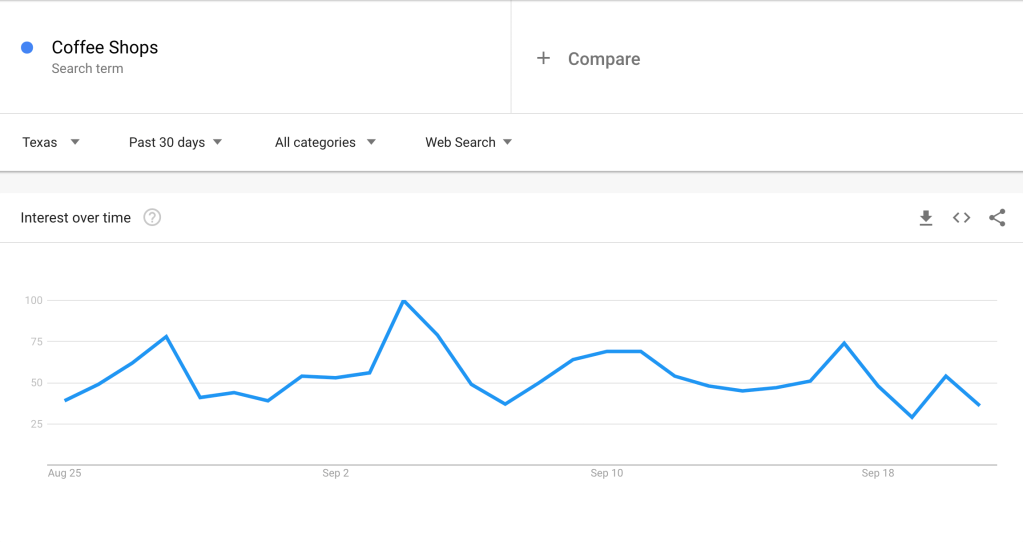
In this graph, shown below, you can see the results for “coffee shops” web searches in Texas over the past 30 days. These results, again, show a bit of fluctuation, but range from about 25-100 searches.
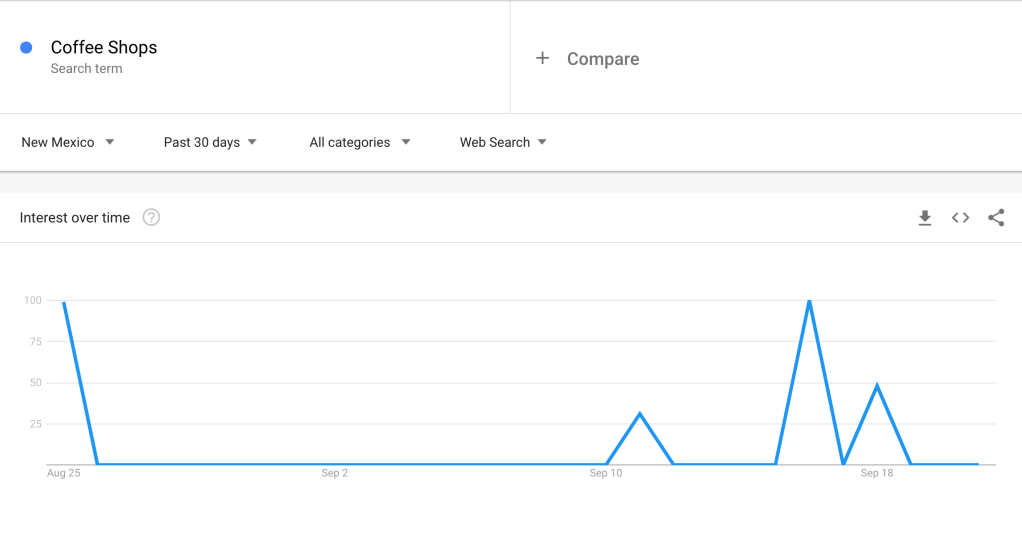
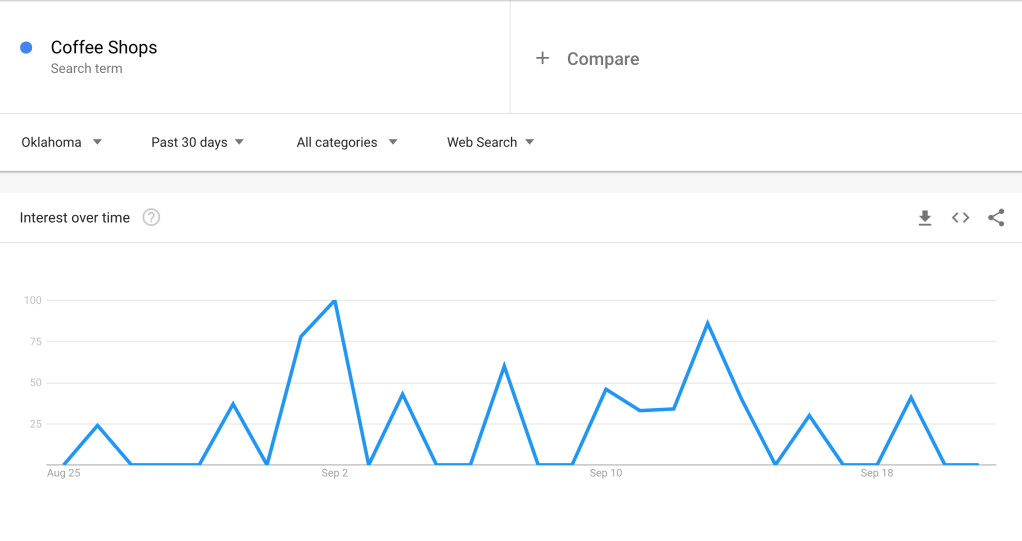
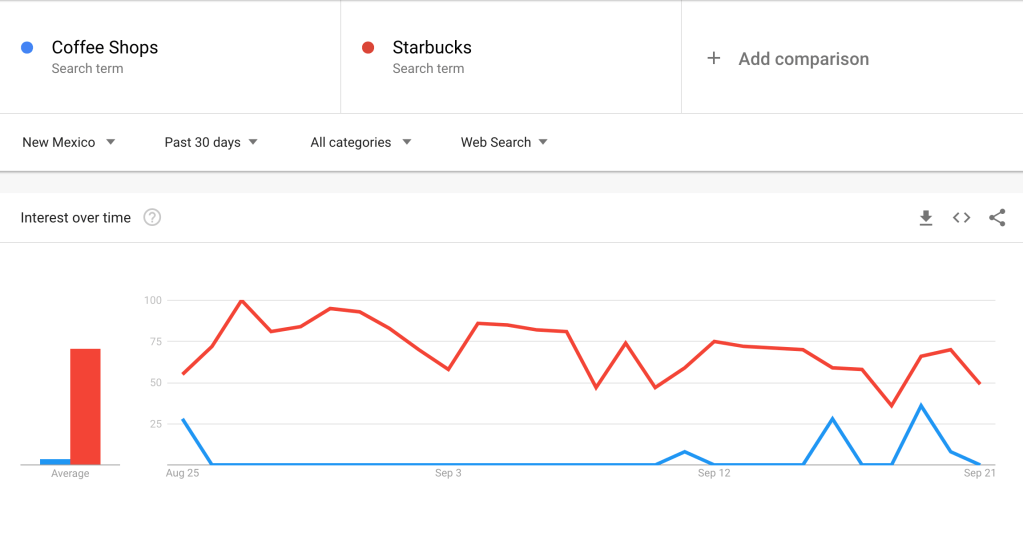
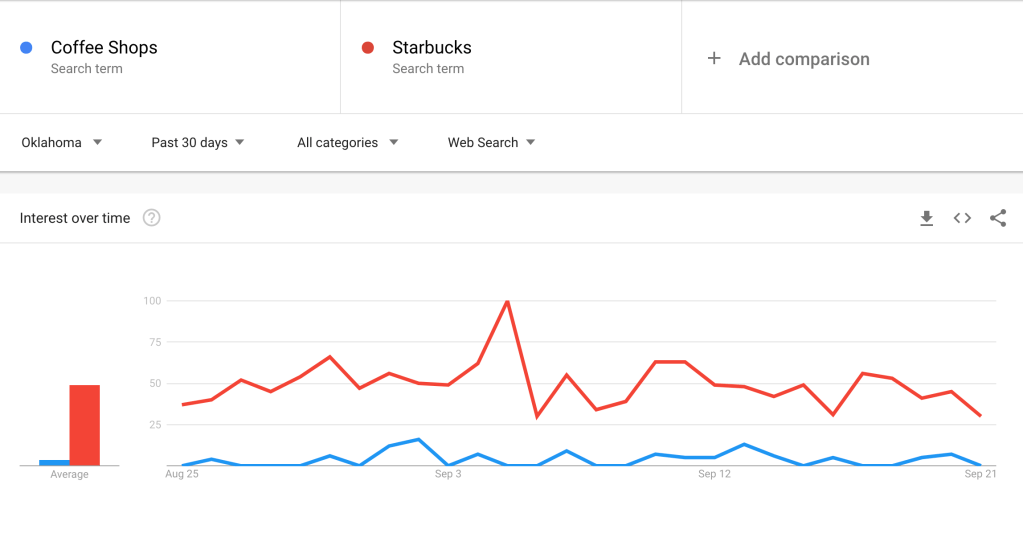
However, the results for New Mexico and Oklahoma were not so promising. The graphs below show that the searches for “coffee shops” in New Mexico ranged from 0-100 searches, although for the past 30 days there was mostly no search interest. The results for Oklahoma were slightly more promising than those of New Mexico, again with a range of 0-100 searches, but there was not as much time with no interest.
I then compared the search results for “coffee shops” and “Starbucks” to see if there was more interest in one rather than the other, and was quite surprised. In Texas, there was significantly more search interest for Starbucks rather than “coffee shops” in general.
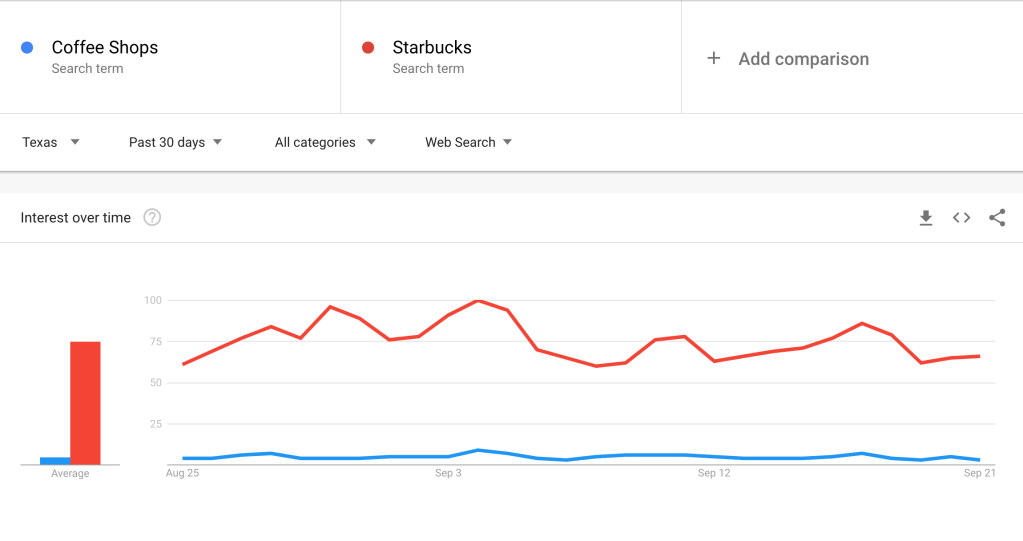
The same results showed for both New Mexico and Oklahoma as well, as shown in the graphs below.
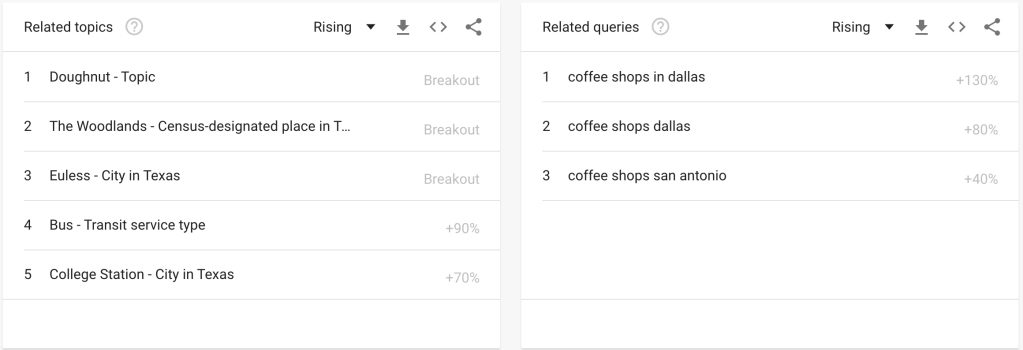
Google Trends also shows the results for related topics and related queries as well, which can be beneficial for businesses in their competitive analysis as well. The results are shown below when I input “coffee shops” and set the location as Texas and the time frame as the last 30 days.
Moving Forward
Google Trends can absolutely play a beneficial role in identifying consumer interest in a specified area. The article “Google Trends: How To Use & Everything You Need To Know [2020]” sums it up well, “The simplicity of the tool makes it a great additional tool to add to your workflow when you need to understand the positions of keywords and topics in the world.” If you have any interest in giving it a try, I would absolutely recommend it! You never know what a quick Google search provides you with!
 CRyder Design
Leave a comment